启动剖析之 Claude Code
Claude Code 是一个代理编码工具,可以读取你的代码库、编辑文件、运行命令,并与你的开发工具集成。可在终端、IDE、桌面应用和浏览器中使用。
Claude Code 是一个由 AI 驱动的编码助手,可帮助你构建功能、修复错误和自动化开发任务。它理解你的整个代码库,可以跨多个文件和工具工作以完成任务。
如何安装 Claude Code 见文章 初识 CC Switch。
一、添加与切换大模型
由于 Claude 官方 API 密钥费用偏高,对普通开发者来说,还没把工具用熟练,就已经消耗不少 Token,而 Token 都是直接折算成费用的,很不划算。这里推荐使用 CC Switch 添加国内大模型。
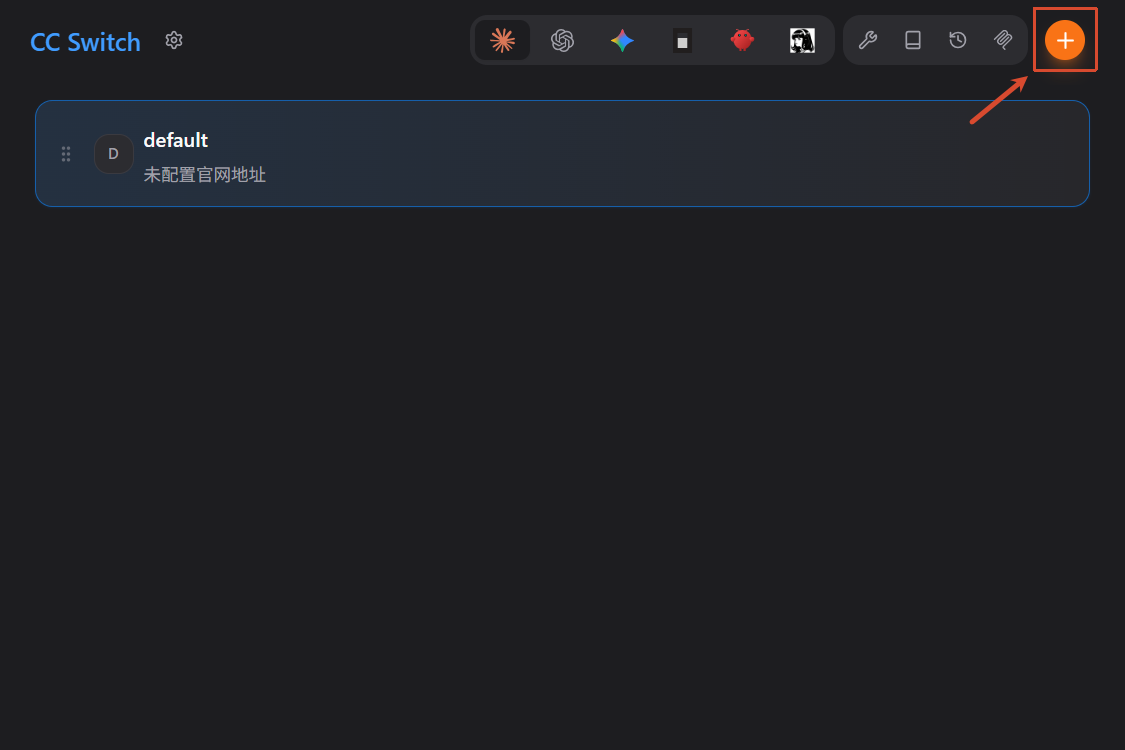
进入 CC Switch,点击 添加 按钮
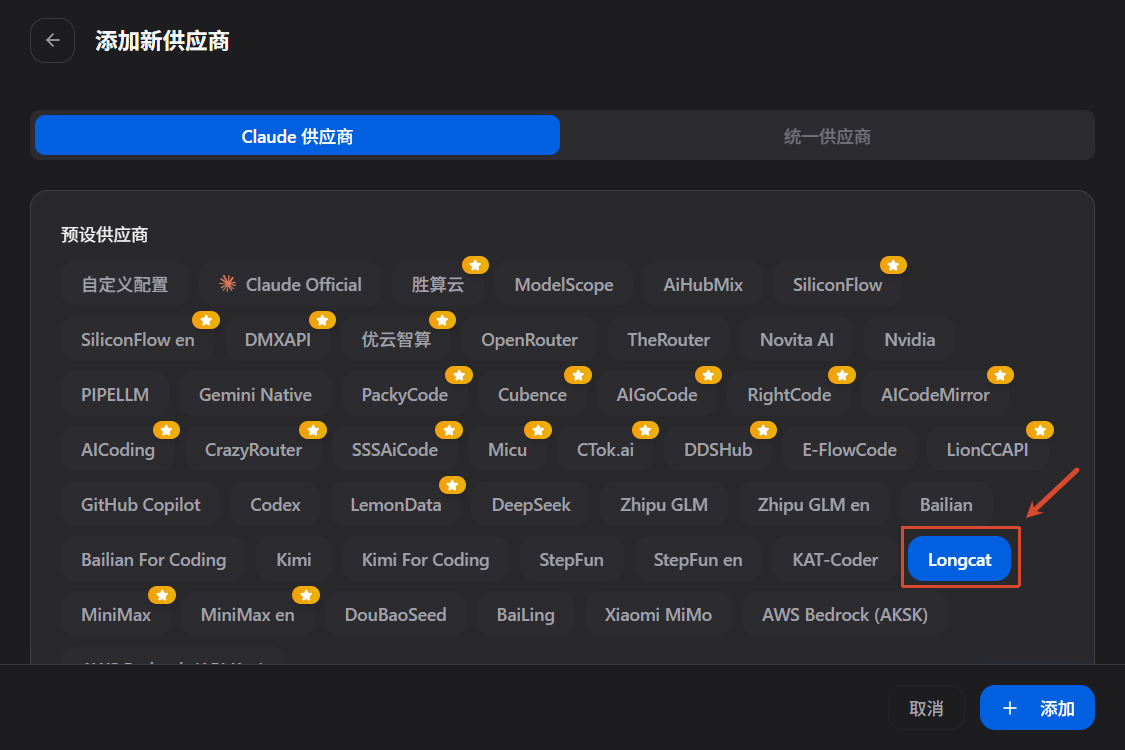
这里选择美团的 Longcat 示例,点击添加
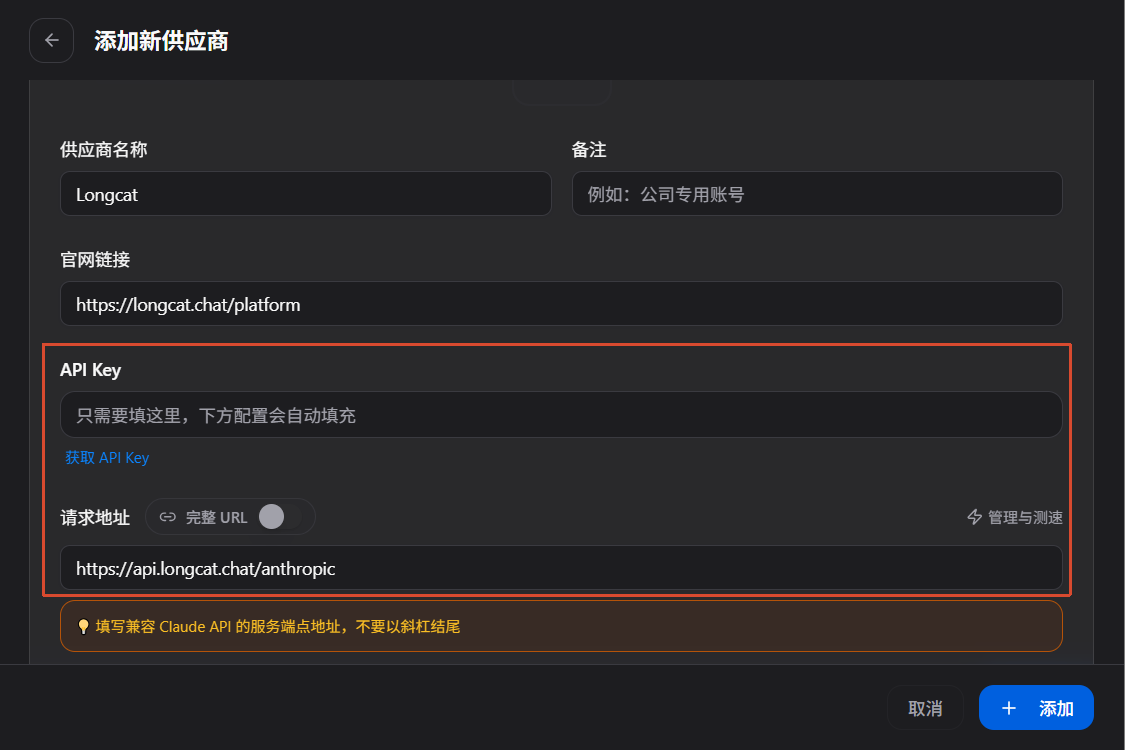
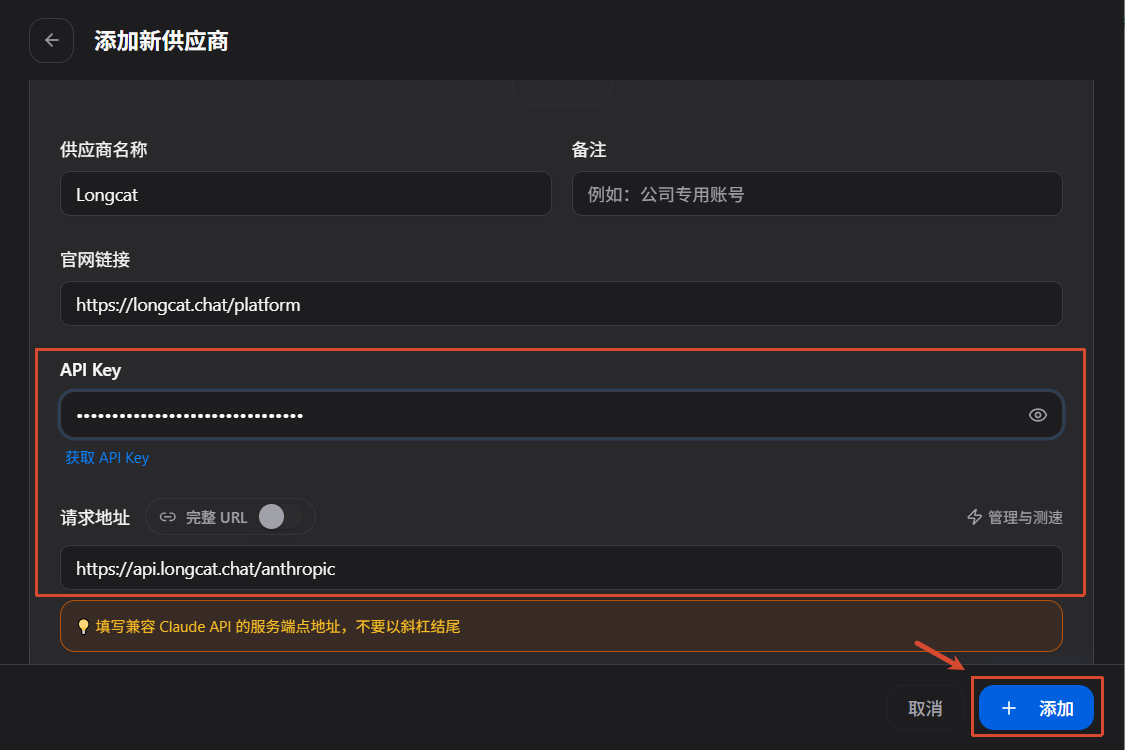
此时需要关注两个参数,一个是 API Key,一个是请求地址
访问 LongCat API 开放平台,创建 API Key
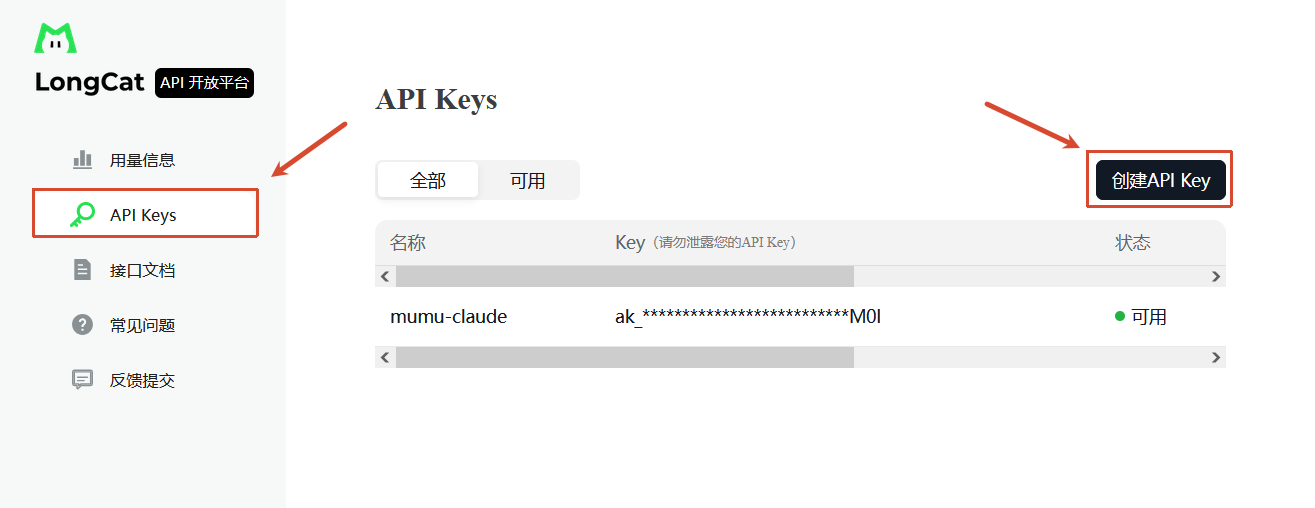
回到首页,点击申请更多额度,填写任意信息,然后额度就会提升到每天 5,000,000

复制创建的 API Key,填入 CC Switch,点击 添加
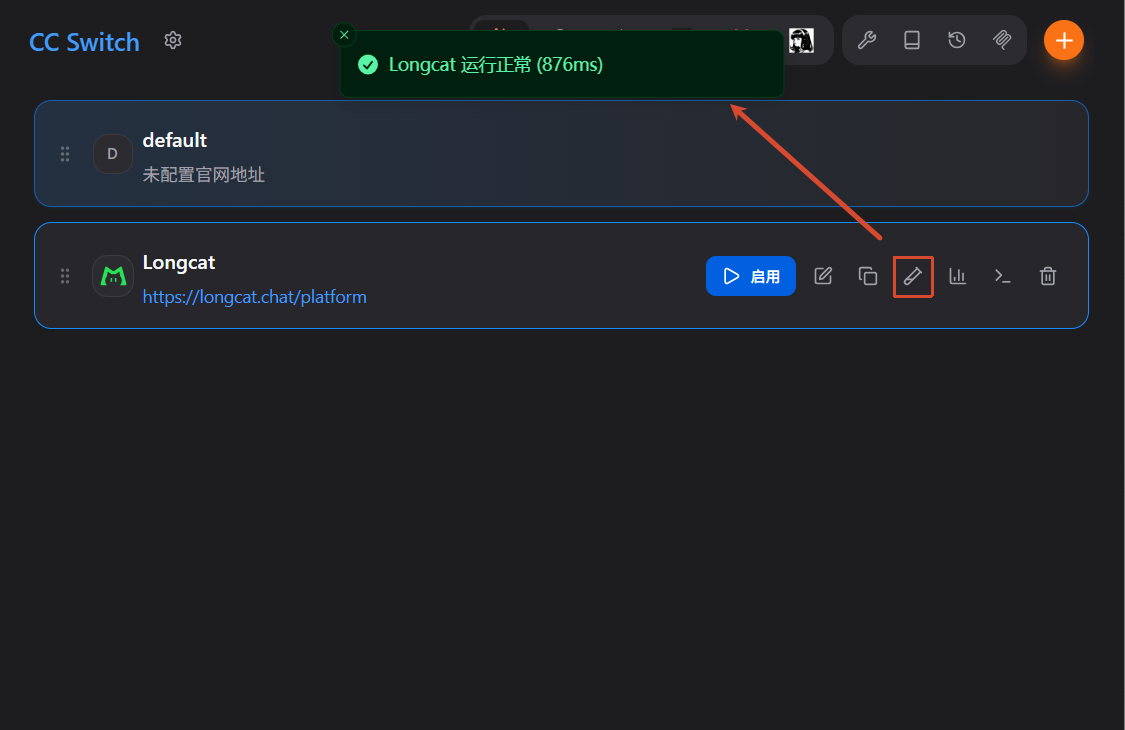
点击 测试模型,显示绿色说明正常运行,点击 启用 即可使用。
二、优化配置
建议开启应用到 Claude Code 插件、跳过 Claude Code 初次安装确认、关闭时最小化到托盘。

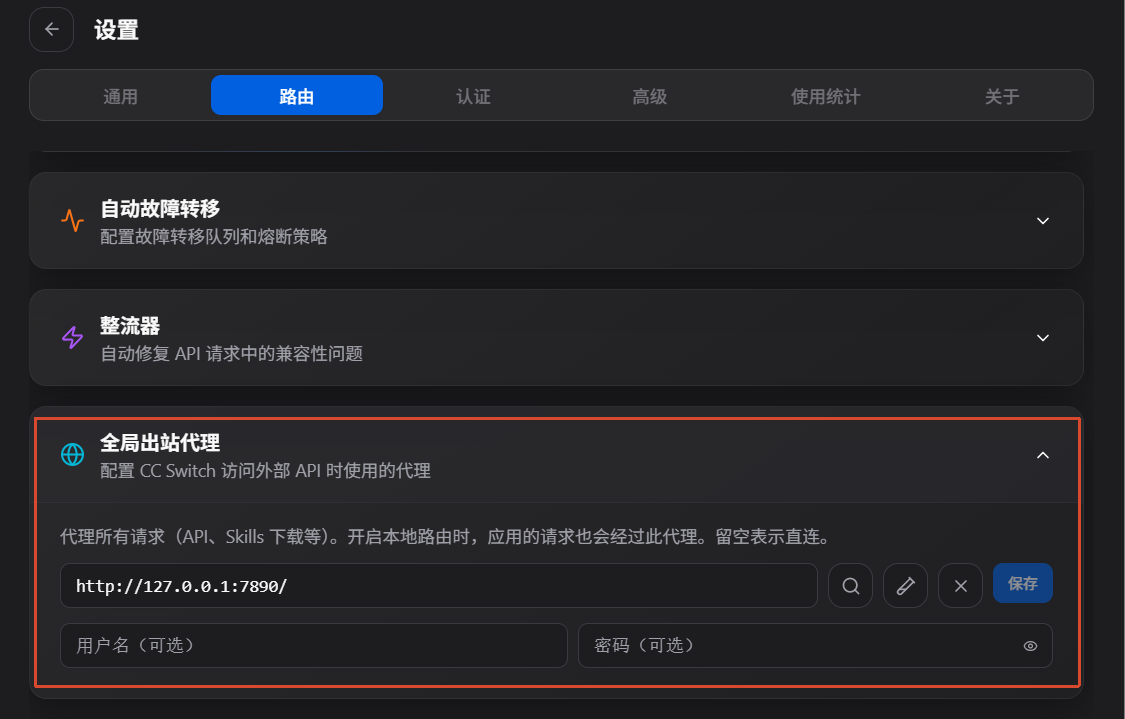
设置全局出站代理 http://127.0.0.1:7890/,也就是我们常用的 Clash。为什么要开启全局代理呢,因为调用国外大模型接口时,必须使用国外节点 IP,否则不仅容易账号被封禁,还会导致 Claude 回复卡顿、响应缓慢。
TIP
使用国内大模型接口时,关闭全局出站代理。
账号认证前提下,保留账号数据
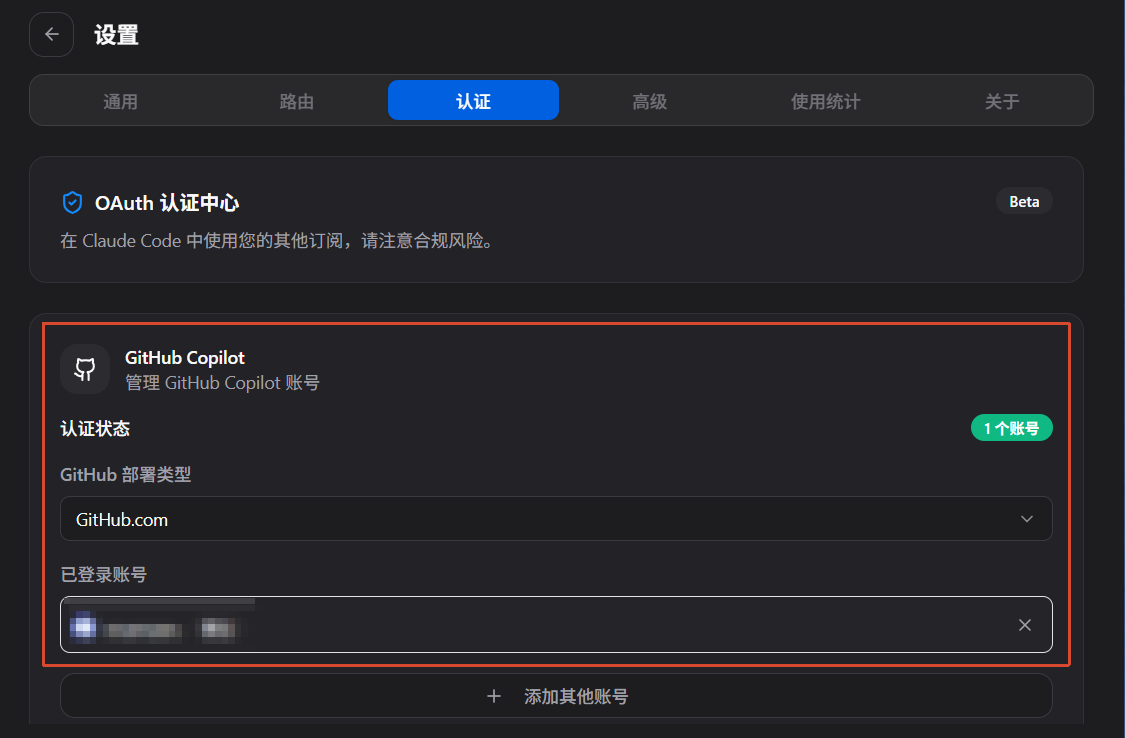
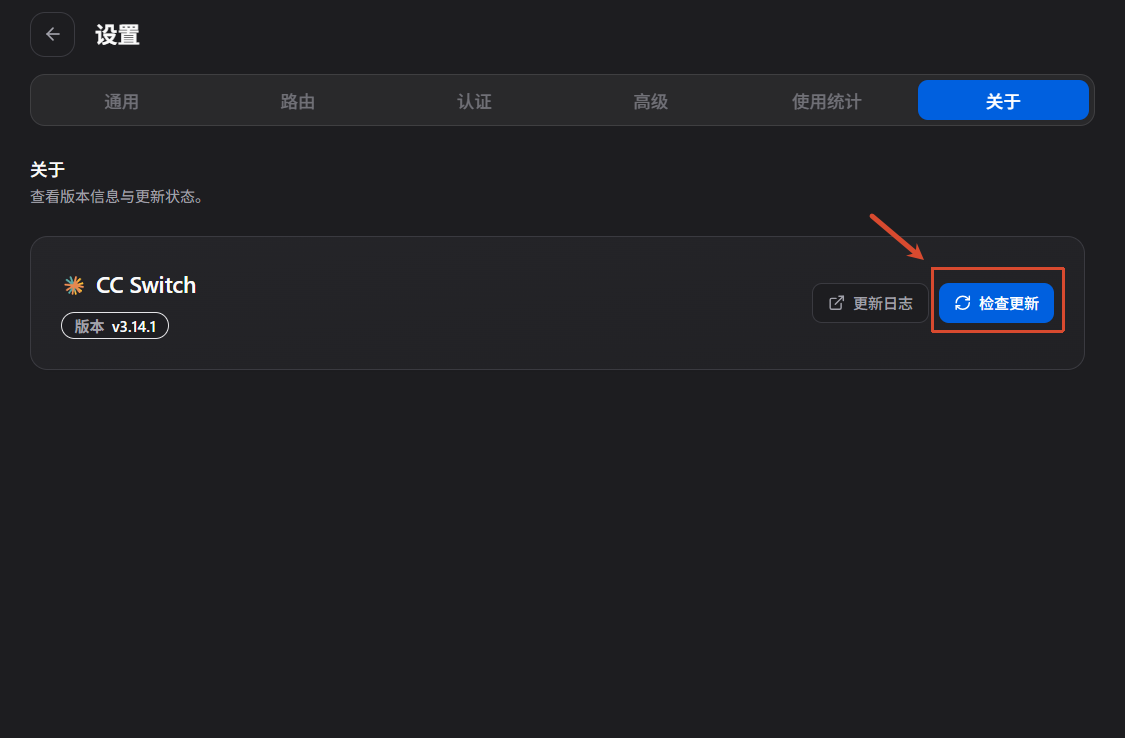
检查并自动更新
三、ClawGod 补丁
ClawGod 不是第三方 Claude Code 客户端,它是作用在官方 Claude Code 之上的运行时补丁。它兼容任何版本。当 Claude Code 升级,ClawGod 会在下次启动时自动从新版本重新抽取并重新打补丁。
1、安装依赖
ClawGod 需要安装依赖,除 Claude Code(原生二进制)和 Node.js(版本 >= 18),还需要安装 ripgrep 和 bun。
ripgrep 是Claude Code 内置 Grep tool 必需。
# macOS
brew install ripgrep

# Linux
apt install ripgrep

# Windows
winget install BurntSushi.ripgrep.MSVCbun 是运行补丁版 Claude Code 的专用引擎,缺失时自动安装 bun.sh。如自动安装失败,使用以下命令手动安装
# macOS / Linux
curl -fsSL https://bun.sh/install | bash

# Windows
powershell -c "irm https://bun.sh/install.ps1 | iex"

# 安装验证
bun --version2、安装 ClawGod
使用以下命令安装 ClawGod
# macOS / Linux
curl -fsSL https://github.com/0Chencc/clawgod/releases/latest/download/install.sh | bash

# Windows powershell
irm https://github.com/0Chencc/clawgod/releases/latest/download/install.ps1 | iex

# 绿色 Logo 已 Patch,橙色 Logo 为原版
claude
具体新增功能详见 GitHub 说明。
3、更新 ClawGod
直接照常跑 claude update 即可。 ClawGod 把这条命令 patch 成走自己的 installer,从 npm 拉 Anthropic 当前发布(@anthropic-ai/claude-code-<plat>@latest)、重新提取 cli.js、重新打补丁、重写 launcher。所以上游 claude update 命令对用户依然如常工作。一条命令拿到最新 Claude + 补丁仍然生效。
如果想直接调 installer(效果一样,两条路径都会拉同一个上游 release 并重新 patch)
# macOS / Linux
curl -fsSL https://github.com/0Chencc/clawgod/releases/latest/download/install.sh | bash

# Windows
irm https://github.com/0Chencc/clawgod/releases/latest/download/install.ps1 | iex如果想脱离 ClawGod、使用 Anthropic 原本的 claude update(它会写到自己管的目录、并把我们的 launcher 替换掉),请先卸载
bash ~/.clawgod/install.sh --uninstall4、卸载 ClawGod
使用以下命令卸载 ClawGod
# macOS / Linux
curl -fsSL https://github.com/0Chencc/clawgod/releases/latest/download/install.sh | bash -s -- --uninstall
hash -r  # 刷新 shell 缓存

# Windows
irm https://github.com/0Chencc/clawgod/releases/latest/download/install.ps1 -OutFile install.ps1; .\install.ps1 -Uninstall卸载会把 claude.orig 还原成 claude,并移除 clawgod 别名。
TIP
安装或卸载后,如果命令未立即生效,请重启终端或执行 hash -r。
四、Claude Code IDE 插件
在进行开发或者代码审计时,需要对某源码使用 Claude Code,可以使用Claude Code for VSCode 插件。Claude Code Vscode 插件支持在 Vscode 及基于 Vscode 的 IDE(如 Cursor、Trae 等)中使用。
打开 Vscode,进入扩展市场,搜索并安装 Claude Code 插件进行安装。
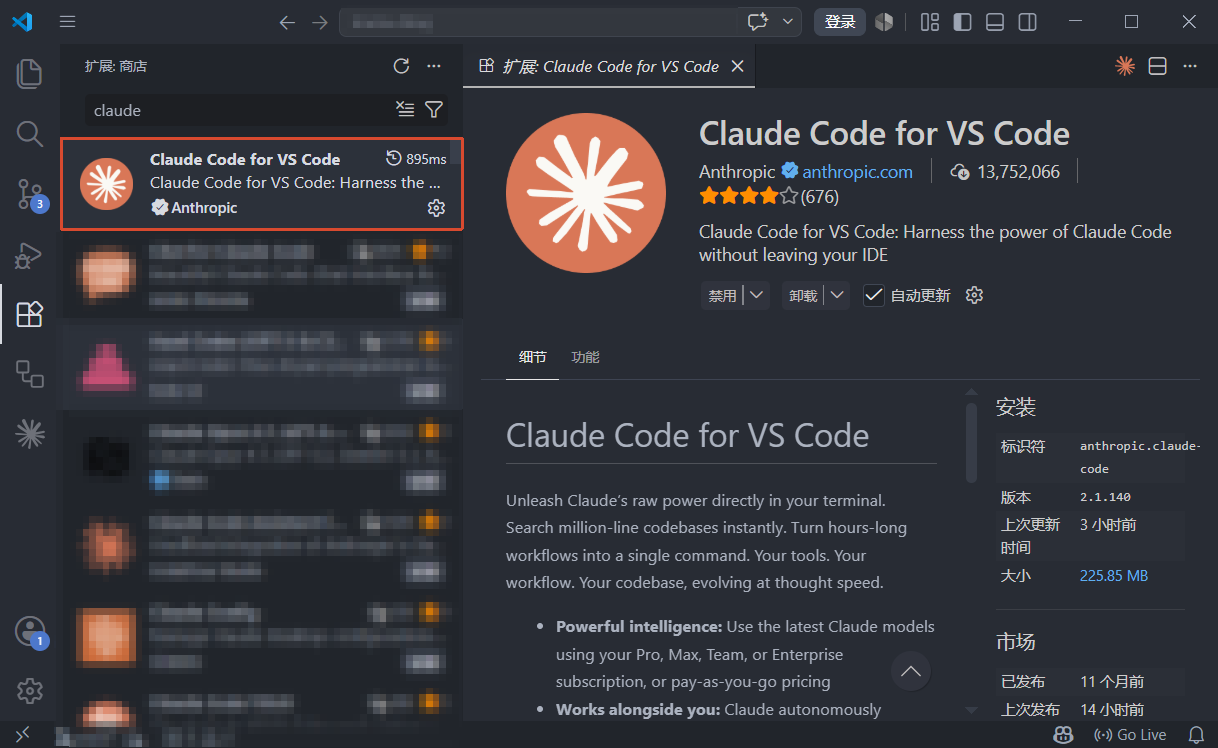
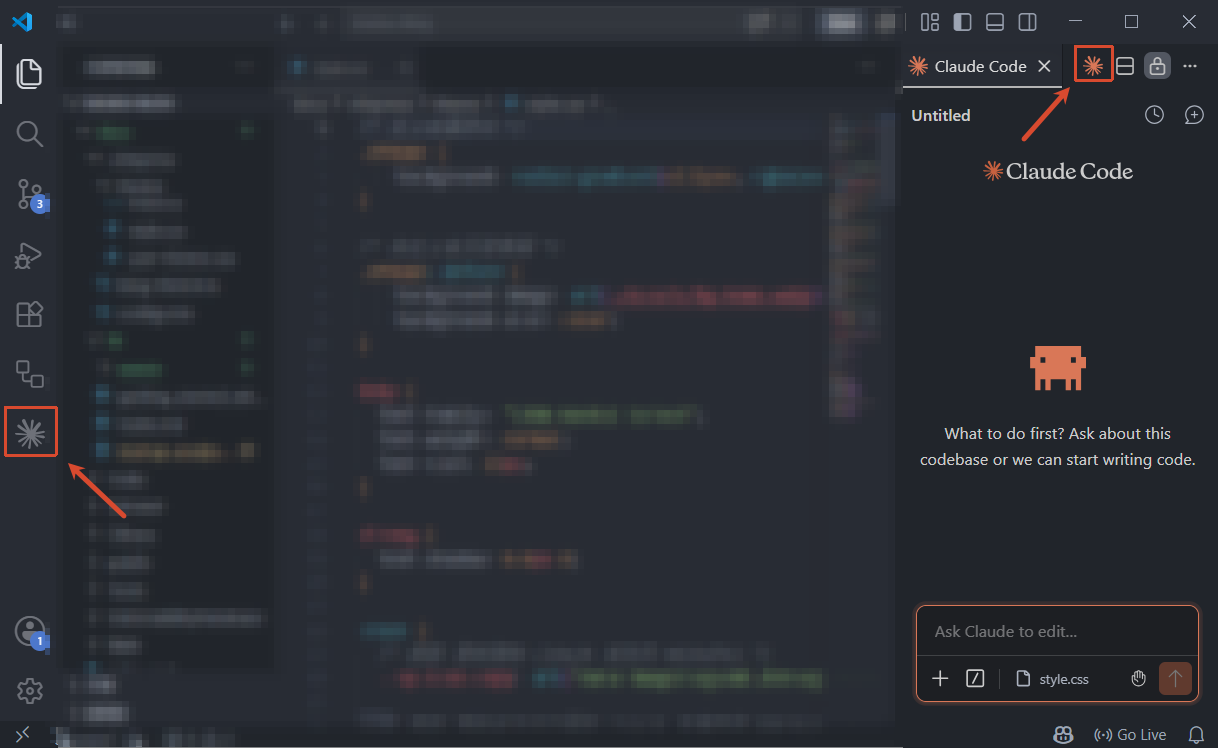
安装完成后,点击如下图中的左下角或右上角 Claude Code 图标,即进入 Claude Code 页面,等待几秒待其初始化完成后即可使用。